How to Make a Fantasy Map for Your Book (No Art Skills Needed)
Let us dispel the fear at the door: you do not need to be able to draw. A map for your novel is not an audition for an art school; it is an instrument for keeping your story honest, and it pays for itself the first time it stops a three-day journey from quietly becoming a three-week one. It also has a delightful habit of inventing plot for you. Here is how to make one, and a live map maker below that does the drawing so you can do the deciding.
Pick a stamp, tap the realm to drop it, drag it into place, double-tap to name it.
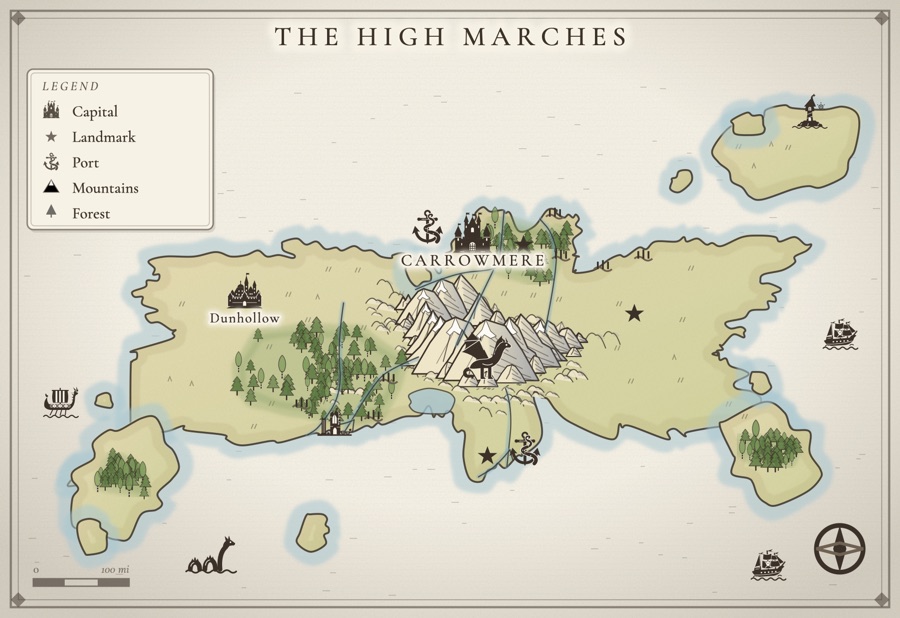
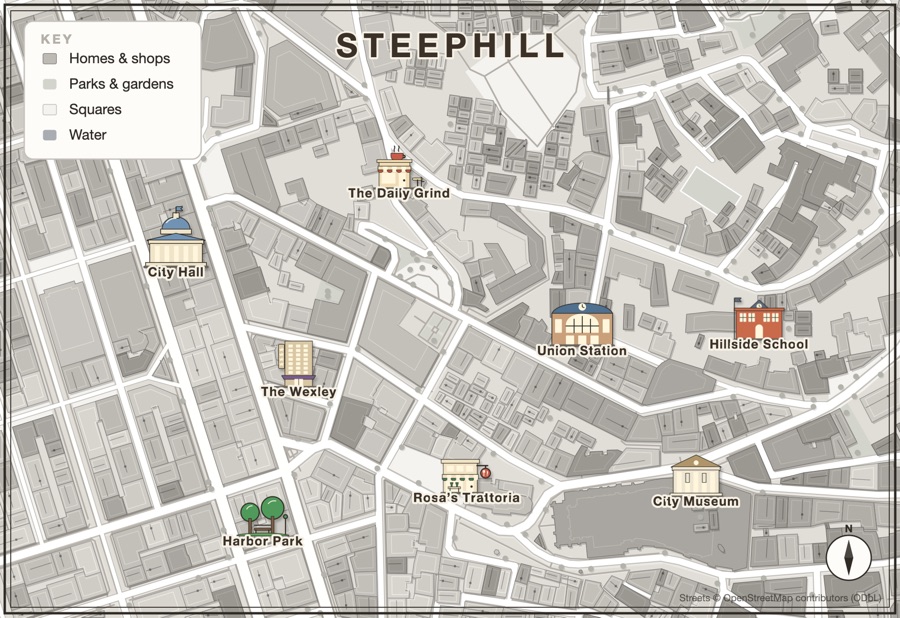
Let geography do your plotting
A map is not decoration; it is a quietly opinionated collaborator. The moment you place a mountain range, you have created isolation and a natural border. Draw a river and you have made trade, and travel, and a reason for a town to exist. Set two rival cities on opposite coasts and the sea between them is already generating conflict. Make the map first, or alongside the early chapters, and it will hand you plot you did not have to invent.
You are deciding, not drawing
The thing that stops most writers from making a map is the belief that it requires artistic talent. It does not. The creative work of a map is a series of decisions: where the land is harsh and where it is kind, what people want that lies just out of reach, what barrier keeps two groups apart. A good map maker renders those decisions for you, so your job is to choose, not to shade. Roll a starting realm, then bend it to the story in your head.
Name with restraint
The fastest way to make a fantasy map feel amateur is to name everything, immediately, with a great deal of apostrophes. Resist. Name the places your story touches, and name them like they were named by the people who live there, after rivers and battles and dead kings, not after their vibe. Leave the rest of the map unlabeled. Blank space reads as depth; a map crowded with unpronounceable names reads as a spreadsheet.
Keep it consistent, which means keep it close
A map only helps if you actually consult it, and you will only consult it if checking takes one second. The whole point is to catch yourself before the sun sets in the east or a week-long ride happens over breakfast. When the map lives in a separate app you have to export from and re-open, you stop looking, and the contradictions move back in. Proximity is the feature.
Make it look like the map in a real book
The maps readers love in the front of a novel share a few habits, and none of them are about drawing skill. They use one hand: every castle, town and tower looks like the same artist drew it, which is exactly what a mix of clip art from five sources ruins. They use color lightly, a soft wash to tell one kingdom from the next rather than a paint-by-numbers poster. Their borders follow the land, running along rivers and mountain spines, because that is where real borders go. And they put the danger where the story goes: a sea serpent off the coast your heroes must cross, a dragon over the pass they cannot avoid.
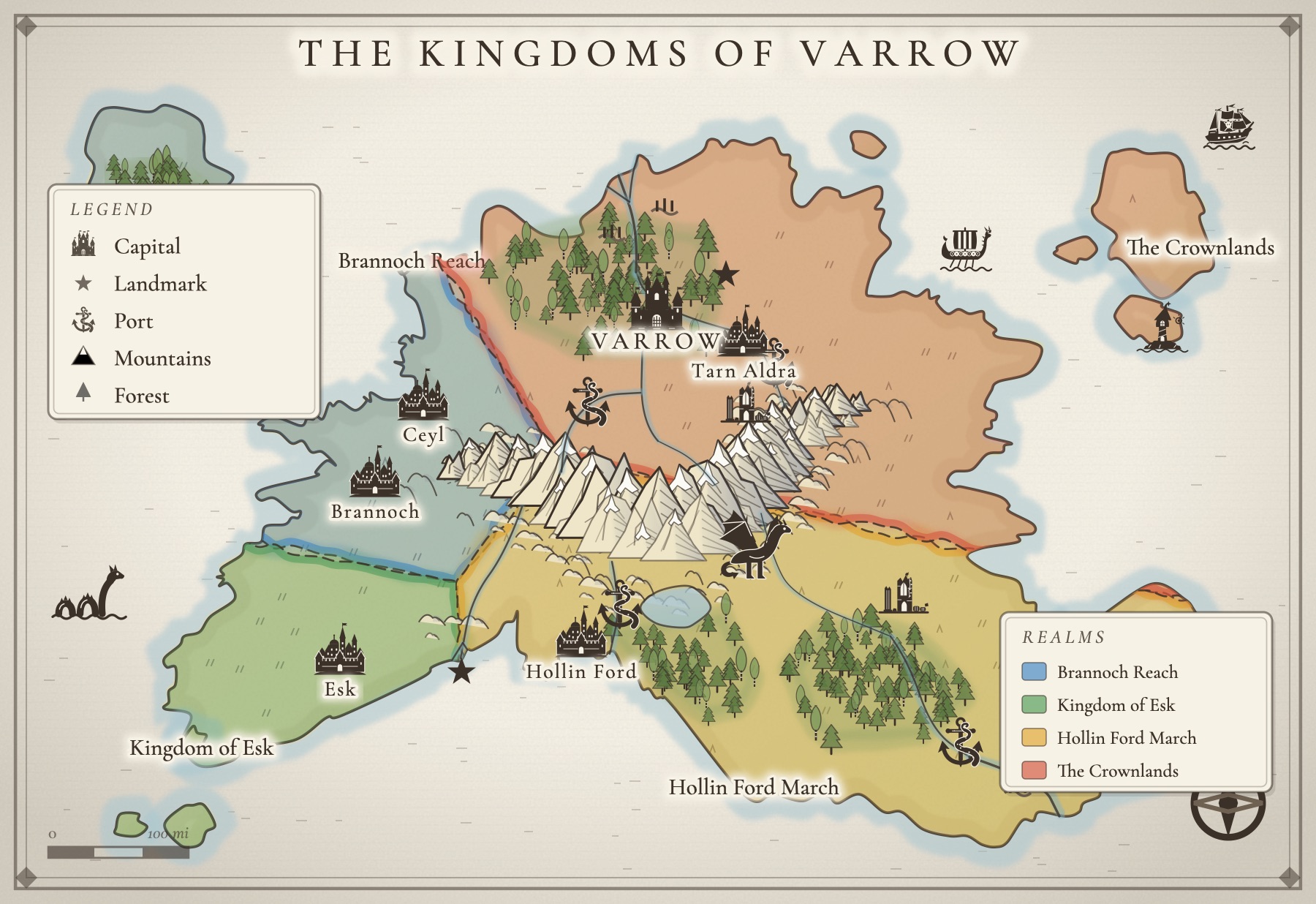
Both maps above were made in Inkling's map maker. Every stamp is drawn in the same bold ink style, from the tavern with its tankard sign to the kraken wrapped round the port, and each one re-inks itself when you switch between Inkling Wash, Copperplate and Gilded Night.
The separate-app tax
The usual way to make a fantasy map is to go buy a dedicated mapping tool, learn it, build your world inside it, and then live with the fact that your beautiful map and your actual manuscript now reside in two different programs that have never met. Add a wiki for the place names and a folder of scanned sketches, and your one world is scattered across four tools. There is a simpler arrangement.
- A dedicated map app like Inkarnate or Wonderdraft
- Hand-drawing and re-scanning the map every revision
- A separate wiki for place names and world lore
- Your manuscript, with no map anywhere near it
Separate subscriptions, separate logins, and none of them talking to each other.
- All of it on one desk, right beside your draft
- One login, one place, nothing to sync
- One simple price, and 14 days free to try it
How Inkling does this for you
Inkling has a map maker built into your project, so the world lives with the story. Start from a ready-made layout (an island realm, a sprawling empire, a frozen north) or from the real streets of a city like Prague or Lisbon, or draw every coastline yourself. Stamp in castles, taverns, temples and ruins, carve the land into realms with colored borders you can redraw or split, paint in dunes, marsh and snowfields, and let roads find their own way between your towns. Then name what matters. Because the map sits on the same desk as your draft, your characters, and your notes, it is always a click away when a scene needs to know which way the river runs. No separate app, no export dance, no fourth subscription for the place your story happens.
A few questions, answered
How do I make a fantasy map if I cannot draw?
Use a map maker that handles the artwork so you only make decisions, not brushstrokes. You place the mountains, rivers, cities, and borders that your story needs, and the tool renders them. Inkling's map maker gives you ready-made layouts to start from, hand-drawn castles, towns and creatures to stamp, and realm borders you can redraw, so you only ever decide, never draw.
Does my novel actually need a map?
You do not have to publish one, but making one for yourself pays off immediately. It keeps travel times and directions consistent, prevents the small geography contradictions readers notice, and frequently sparks plot: a mountain range becomes a border, a river becomes a trade route, a trade route becomes a place to be robbed.
How detailed should a fantasy map be?
Only as detailed as your story travels. Build the region your book actually visits, in the depth the plot needs, and leave the far corners vague until a scene sends someone there. A map bloated with places no one ever goes is worldbuilding avoidance wearing a cartographer's hat.
Where should I keep my map so it stays useful?
Right beside your writing, your characters, and your notes, not stranded in a separate mapping app you export from and forget. Inkling keeps your realm and city maps in the same project as your draft, so the map is always a click away while you write.
All of it. In one place.
This isn't five apps stitched together. Your storyboard, your cast, your maps, your covers, and the story itself all live on one desk, right beside the words. Nothing to sync between tools. No five separate subscriptions. Just everything a writer needs, finally in the same place.