We redrew the Inkling map maker: castles, dragons and realms
A map in the front of a book is a promise about the story inside. We wanted yours to look like that promise, so we redrew nearly everything in the map maker. Here is what changed, and what it looks like.
When we looked hard at the old icons, they read more like an activity book than an atlas. A castle should look like it has held a siege. A sea serpent should look like it has eaten a ship. So Brenn pulled together a sheet of references (bold, single-ink pictograms with cut-out details) and we started again from that, and we did not stop at castles.
Every building, drawn in one hand
The most common thing that makes a homemade fantasy map look homemade is not the coastline. It is the icons, pulled from five different clip-art packs, in five different weights. So every building in the map maker is now drawn in the same bold, single-ink style, with cut-out windows, chimney smoke and a little bit of story in each one. The tavern has its tankard sign and a barrel by the door. The blacksmith's forge glows beside the anvil. A horse looks out of the stables. The apothecary's window is full of bottles, the graveyard has its crypt and its bats, and the jail has a cage swinging from its arm. There are over thirty of them, from the castle on the hill to the well in the square.
Beasts, not stickers
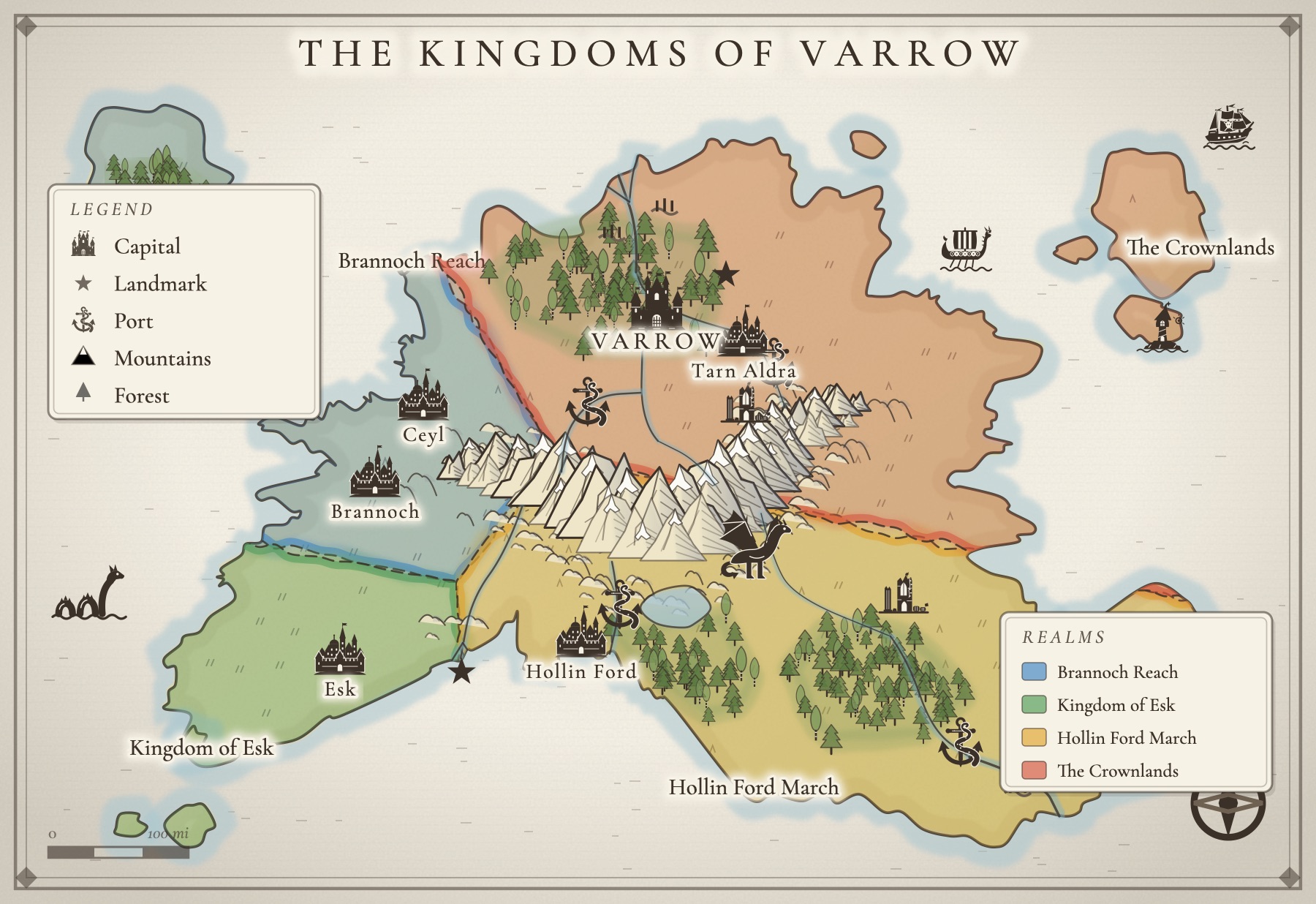
The creatures needed it most: they should look like beasts, not like they belong in a children's playbook. Now there is a dragon worth guarding a mountain pass, a sea serpent coiled in the waves, a whale, a giant squid, and a kraken wound round the anchor that marks a port. The ships got the same treatment: a galleon flying a skull, and a longship with a dragon on its prow and a wall of shields down its side. Put them where the danger is in your story. Readers notice.
Realms with real borders
You can now carve your land into kingdoms. Each realm gets a soft wash of color and a dashed border, and a key in the corner lists them by name. When the border is not quite right, draw the line you want and the map maker redraws that stretch of it. When one kingdom breaks in two, draw a line across it and it splits. Realms never overlap, so your borders stay honest.
Land that looks painted
Areas now come in the colors of the real thing: dunes in pale gold, marsh in blue green, jungle, plains and snowfields, each with an edge that fades softly into the land instead of stopping at a hard line. Forests and mountain ranges you add by hand are drawn in the same art as the ready-made layouts, tree by tree and peak by peak, so what you add matches what was there.
Roads that find their own way
A road between two towns now bends around mountains and water on its own, the way a real road would. No more wobbly line marching straight across a lake.
Cities on real streets
City maps start from the real street plans of twelve cities, Prague, Amsterdam, Lisbon, Edinburgh, Venice, Kyoto and six more, with every name stripped off so the streets become yours. Old Kestra, the city in the picture above, is Prague's old town with a keep on the hill, a tavern called the Crooked Tankard, and a smith named Oskar.
Three looks
Inkling Wash is soft watercolor with one ink line. Copperplate is an engraved atlas plate. Gilded Night is ink-blue paper with cream line and gold leaf, the special-edition look. Switch between them and every stamp re-inks itself to match.
A few smaller things
Picking a tool now places one thing, then steps back, so you never scatter six castles by accident. Undo and redo sit right above the map. Clicking a forest no longer insists you name it; add a name when you want one.
Try it
The map maker is free to start: keep two maps and download two, no card. If your world outgrows that, a Map Pass is $29 a year or $4 a month and keeps every map you make. See the map maker, or read our guide on how to make a fantasy map for your book.
A few questions, answered
Is Inkling's map maker free?
Yes, to start. The free map maker keeps two maps and gives you two picture downloads (with a small Inkling credit), with every stamp, beast and drawing tool. A Map Pass is $29 a year or $4 a month and keeps every map, removes the credit, and opens Gilded Night, print sizes, SVG and all twelve real-street cities.
Do I need to be able to draw?
No. Every castle, town and creature is already drawn. You decide where things go and what they are called; the map maker does the ink.
Can I make a city map as well as a world map?
Yes. Start from the real street plan of a city like Prague, Lisbon or Kyoto, with its names stripped so it becomes yours, then stamp in the keep, the taverns and the temples. With a Map Pass, double-clicking a town on your world map opens its own city map, already named.
Can I use my map in my published book?
Yes. The map is yours. A Map Pass gives you print-size PNG and SVG files without the Inkling credit, which is what a printer or a book designer will ask for.
All of it. In one place.
This isn't five apps stitched together. Your storyboard, your cast, your maps, your covers, and the story itself all live on one desk, right beside the words. Nothing to sync between tools. No five separate subscriptions. Just everything a writer needs, finally in the same place.